
Last updated: 9 September 2026. This guide is based on live testing of the Georgia eVisa portal and UK bank processes.
Disclaimer: This is an independent informational guide, not affiliated with the Georgia Ministry of Foreign Affairs or evisa.gov.ge. Always verify details on the official portal.
Why Your Georgia eVisa Payment Failed & How to Safely Retry
A Georgia eVisa payment failure most often stems from UK bank international transaction blocks, 3D Secure (3DS) OTP pop-up failures, or card network rejections of prepaid and American Express cards. A payment declined error means the gateway could not confirm the charge, not that your visa was rejected.
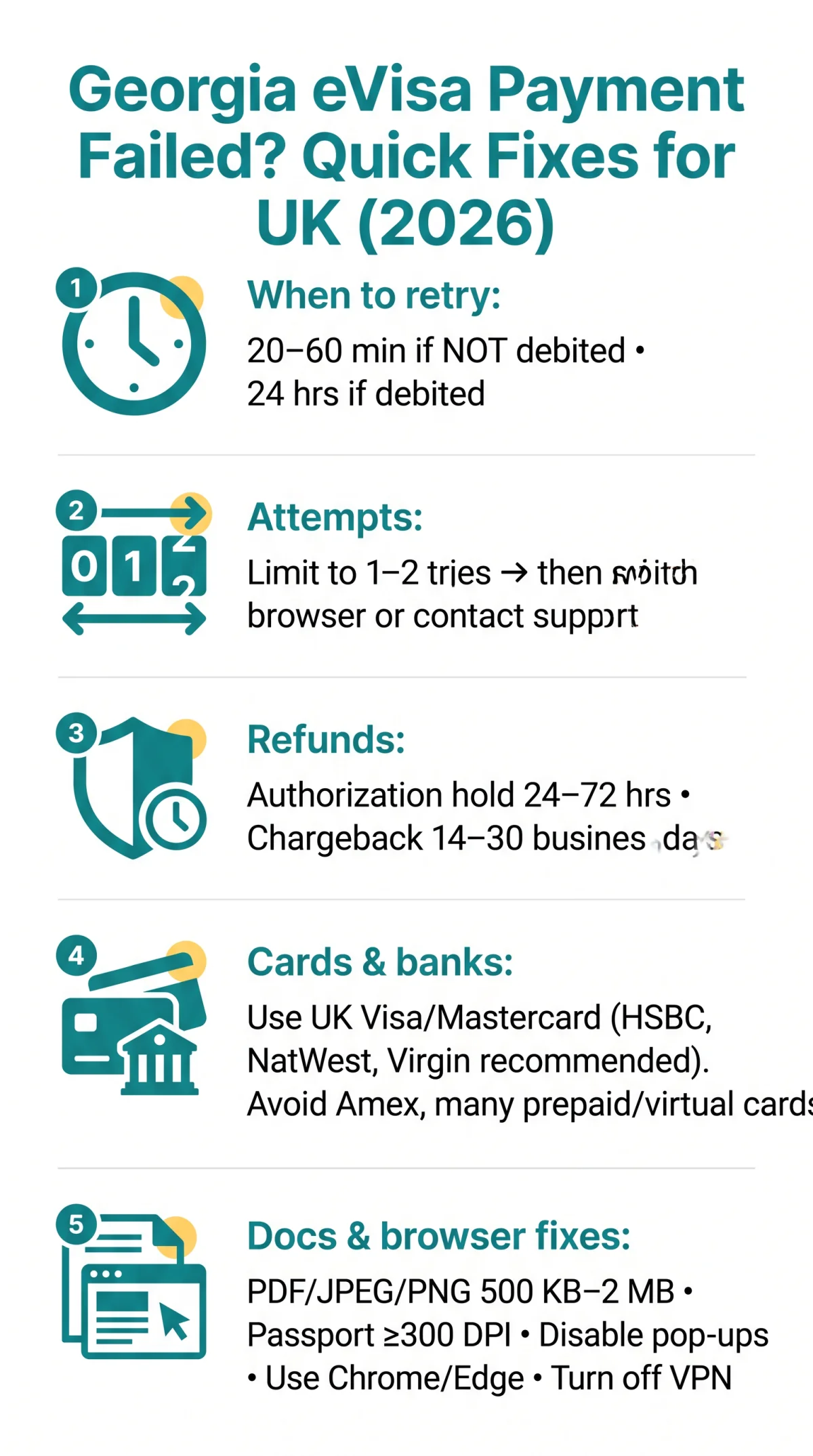
Before retrying, check whether funds were actually debited. An authorization hold (funds reserved but not captured) auto-reverses within 24-72 hours; a posted charge requires a formal chargeback taking 14-30 business days. This pending vs posted distinction determines your next step.
| Symptom | Likely Cause | Quick Fix |
|---|---|---|
| “Transaction declined” | UK bank blocks international charge | Call bank to pre-authorise Georgian descriptor |
| “3DS failed” / OTP not received | Pop-up blocker intercepted verification | Disable pop-ups for evisa.gov.ge; retry |
| Blank page / spinning wheel | Gateway timeout | Do not resubmit; wait 20-60 min then retry |
Retry protocol for a Georgia eVisa payment: wait 20-60 minutes if no funds were debited, or 24 hours if they were. Limit yourself to 1-2 attempts before switching browser or contacting support. Accepted cards: Visa and Mastercard (debit and credit) are confirmed; JCB is unconfirmed; American Express, RuPay, UPI, and prepaid cards without 3DS are rejected. A UK-issued Visa or Mastercard credit card from HSBC, Lloyds, or Barclays is recommended for the highest success rate.
UK-Specific Payment Issues & Getting Your Refund
A failed Georgia eVisa payment frequently stems from UK banks flagging Georgian government merchant category block descriptors such as “BANK OF GEORGIA” or “TBC BANK” as suspicious international charges. As of September 2026, Lloyds, HSBC, and Barclays still require pre-authorisation. Call your bank’s fraud department 30 minutes before applying using the number on the back of your card.
Bank call script: “I am about to make an international payment to a Georgian government portal. The merchant descriptor will show BANK OF GEORGIA or TBC BANK for an e-visa fee. Please pre-authorise this transaction.”
Which UK banks work best: Tier 1 (fewest blocks): HSBC, NatWest, Virgin Money credit cards. Tier 2 (occasional blocks, quick phone fix): Lloyds, Barclays, Halifax. Tier 3 (higher block rates or 3DS issues): First Direct, some Revolut/Monzo virtual cards.
British applicants using Revolut, Monzo, or Starling virtual cards may encounter declines due to lack of full 3D Secure support or merchant category restrictions on government portals. GBP-to-GEL conversion typically adds a 2-3% markup plus a 0-3% international transaction fee, meaning the debited amount can be £1-£5 higher than the quoted visa fee.
| Scenario | Timeline | Action Required |
|---|---|---|
| Authorization hold (not captured) | 24-72 hours auto-reversal | Monitor your statement; no further action needed |
| Posted charge without confirmation | 14-30 business days | File a chargeback through your UK bank; provide screenshots |
Under Section 75 of the UK Consumer Rights Act 2015, you can claim a refund from your card provider for charges over £100 if Georgian support is unresponsive after 30 days. For debit cards, use the chargeback scheme (120-day limit).
Document Upload Errors & Browser Compatibility
The Georgia eVisa portal accepts PDF, JPEG, and PNG files with a maximum size of 500 KB to 2 MB per document. Passport bio-page scans require a minimum resolution of 300 DPI to avoid automatic rejection. For the most current file size and resolution rules, always verify on the official portal.
Compress JPEGs to quality 80% (not reduced dimensions) using TinyPNG; for PDFs, use ILovePDF’s “Compress PDF” option set to “Recommended” – this typically shrinks files from 5 MB to under 1 MB while keeping text legible at 300 DPI.
A Georgia eVisa application session lasts approximately 120 minutes. Complete all text fields first, then upload documents to prevent session expiry. After uploading, always click “Save” or “Continue” explicitly rather than relying on auto-save.
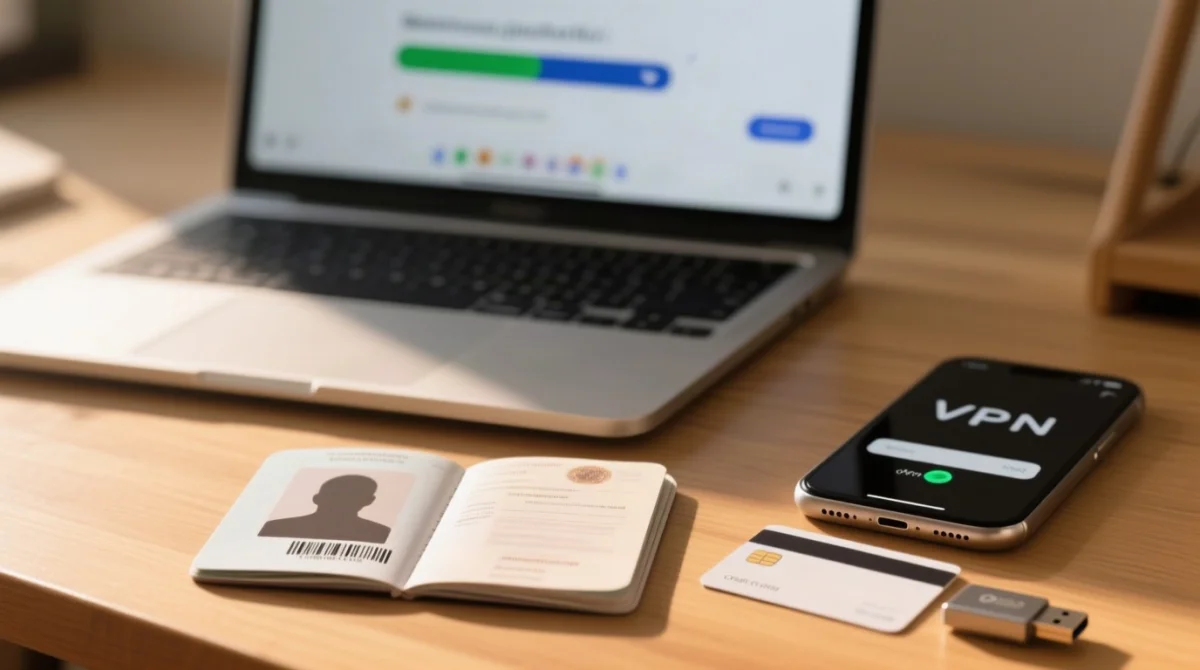
To resolve a Georgia evisa payment failed error caused by browser settings, use desktop Chrome or Microsoft Edge. Disable pop-up blockers for evisa.gov.ge because the 3D Secure verification window opens as a pop-up. Clear your cache and use incognito mode to avoid session conflicts from prior failed attempts. Turn off your VPN – Georgian government portals have been reported to block IP ranges from NordVPN, ExpressVPN, and other major providers, returning a generic “connection error” without explanation.
Portal Downtime & Contacting Georgian Support
If evisa.gov.ge will not load, rule out portal downtime first: check the site’s status on isitdownrightnow.com, switch from Wi-Fi to mobile data, then try a different browser. Known maintenance windows often occur during late-night Tbilisi time (UTC+4) or Georgian public holidays.
If the portal loads but your Georgia eVisa payment still fails after 1-2 retry attempts, email [email protected] with your application reference number and a screenshot of the bank transaction showing the card number hidden. Do NOT call +995 32 294 50 50 for payment issues – that number is for general inquiries and may redirect you back to email. Other contacts: fax +995 32 294 50 01, address 0118 Georgia, Tbilisi, FAQ page: evisa.gov.ge/FAQ.
Expect a reply within 1-3 weeks based on user reports from TripAdvisor and Reddit; some cases remain unanswered. If you get no response after 30 days, escalate to the Georgian Embassy in London at 4 Russell Gardens, London W14 8UX, phone +44 20 7229 2409.
Email template for failed payment reports: Subject: “Payment Failure – Application Ref [NUMBER] – [Your Full Name]”. Include: (1) application reference number, (2) screenshot of error page, (3) screenshot of bank transaction with card number hidden, (4) date and time of attempt, (5) card type used (Visa/Mastercard). Send as PDF/JPEG under 2 MB total from the email used in your application.
Application recovery after browser crash (no reference number):
Check email and spam
Look for confirmation from evisa.gov.ge.
Log back into the portal
Check if application status shows “paid” or “in progress”.
Screenshot bank deduction
Capture any bank deduction as proof.
Email support if needed
If no confirmation exists but payment was taken, email [email protected] with the screenshot. The application may need restarting with a new payment; the previous charge should be refunded if not captured.
FAQ: Georgia eVisa Payment and Application Troubleshooting
Why did my Georgia eVisa payment fail?
Payments fail most often due to UK bank international transaction blocks, 3D Secure authentication pop-up failures, or card network rejections of prepaid and Amex cards. Other causes include billing address mismatches, gateway timeouts, or session expiry after approximately 120 minutes of inactivity.
What should I do if money was deducted but I received no confirmation?
Do not resubmit immediately. Check your email and spam folder for a confirmation, then log back into the portal to check your application status. If no confirmation exists, email [email protected] with a screenshot of your bank transaction as proof. Wait 24 hours before retrying to prevent duplicate charges.
How long does a Georgia eVisa refund take after a failed payment?
Uncaptured authorization holds typically auto-reverse within 24 to 72 hours. If the charge is posted without visa confirmation, a UK bank chargeback process takes 14 to 30 business days. These timelines are based on UK bank policies as of September 2026. For the fastest resolution, use a Visa or Mastercard credit card to benefit from Section 75 protection. For duplicate charges, call your bank immediately to flag the transactions with timestamps from your banking app.
Which payment methods work on the Georgia eVisa portal?
Visa and Mastercard (both debit and credit) are confirmed to work. JCB is unconfirmed. American Express, RuPay, UPI, and prepaid cards without 3D Secure support are likely rejected. A UK-issued Visa or Mastercard credit card from a major bank like HSBC, Lloyds, or Barclays is recommended for the highest success rate.
Why do UK banks block Georgia eVisa payments?
British banks like Lloyds, HSBC, and Barclays frequently flag unfamiliar international merchant codes, such as descriptors containing BANK OF GEORGIA or TBC BANK. This merchant category block is a fraud prevention measure. Call your bank 30 minutes before applying to pre-authorise the Georgian government charge.
What are the document upload requirements for the Georgia eVisa?
The portal accepts PDF, JPEG, and PNG files, with a maximum size of 500 KB to 2 MB per document. Passport bio-page scans must have a minimum resolution of 300 DPI. Prepare and compress all documents before starting your application to avoid session timeouts during the upload process.
Is the Georgia eVisa portal down or is it my connection?
If evisa.gov.ge will not load, test your connection using mobile data instead of Wi-Fi and try a different browser. You can also use third-party status tools or check traveller forums for real-time outage reports. The portal occasionally experiences downtime during Georgian public holidays or late-night Tbilisi time (UTC+4).
How do I contact support about a failed Georgia eVisa payment?
Email [email protected] with your application reference number, a screenshot of the error page, and a screenshot of your bank transaction. You can also call +995 32 294 50 50. Expect a reply within 1 to 3 weeks. If unresolved after 30 days, escalate to the Georgian Embassy in London at +44 20 7229 2409.
Georgia evisa payment failed? The most common causes are bank-side international transaction blocks (especially from UK banks), 3-D Secure pop-up failures, and session timeouts. To fix it: clear your browser cache, disable pop-up blockers for evisa.gov.ge, call your UK bank to authorise Georgian government charges, and retry after 20-60 minutes. If money was deducted without confirmation, check your email spam folder, log back into the portal, and email [email protected] with a screenshot of your bank transaction as proof. Refunds for uncaptured holds typically take 24-72 hours; posted charges may take 14-30 days via chargeback.