The Georgia eVisa portal requires a colour photo of 472 x 591 pixels (35 x 45 mm), saved as JPEG or PNG, no larger than 300 KB. The background must be plain white or very light grey, and the photo must have been taken within the last six months to avoid rejection. Meeting the Georgia evisa photo requirements is critical to prevent automated system delays.
Last updated: 9 September 2026. Specifications verified against the evisa.gov.ge portal on this date. This article is reviewed quarterly to reflect current Georgia eVisa photo requirements.
Georgia eVisa Photo Requirements: Exact Dimensions, Pixels, and Print Sizes
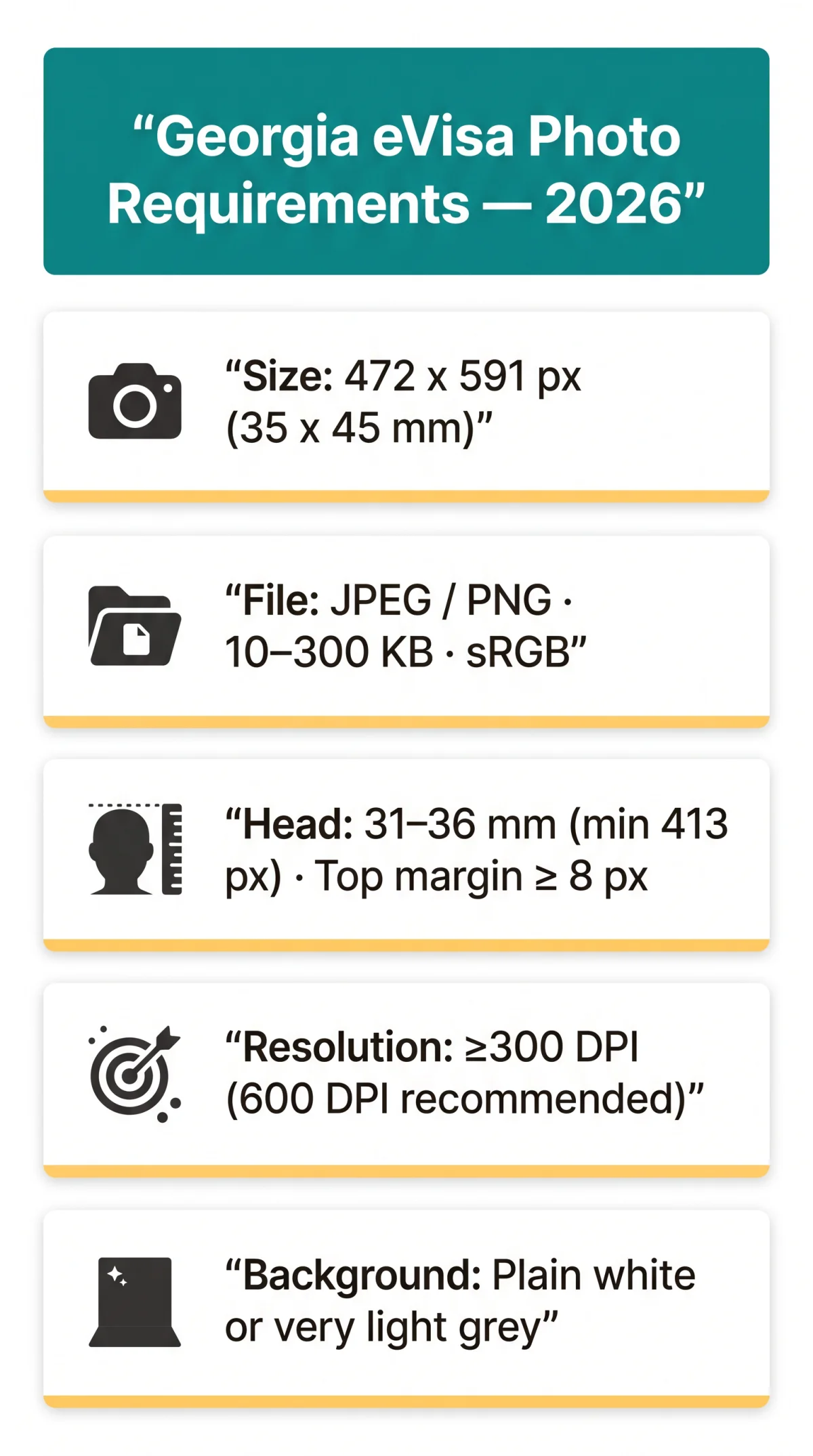
Georgia eVisa photo dimensions are 472 x 591 pixels (35 x 45 mm at ~340 DPI), with chin-to-crown head height of 31-36 mm and a minimum 8-pixel top margin. The 472 x 591 px target derives from 35 x 45 mm at ~340 DPI.
| Measurement Unit | Value |
|---|---|
| Millimetres | 35 x 45 mm |
| Centimetres | 3.5 x 4.5 cm |
| Inches | 1.38 x 1.77 in |
| Pixels (upload target) | 472 x 591 px |
| Pixels at 300 DPI | 413 x 531 px |
| Pixels at 600 DPI | 827 x 1063 px |
| Head height (print) | 31-36 mm |
| Head height (digital min) | 413 px |
| Top margin (min) | 8 px |
| Minimum resolution | 300 DPI |
| Recommended resolution | 600 DPI |
The evisa.gov.ge portal diagram shows 50 mm full height, 40 mm full width, 33 mm head height, 8 mm top margin. Check dimensions in Windows (right-click, Properties) or macOS (Get Info). (Source: evisa.gov.ge, accessed September 2026)
Accepted File Formats, File Size Limits, and Compression
The Georgia eVisa portal accepts JPEG and PNG files between 10 KB and 300 KB in sRGB 24-bit colour, with JPEG quality >= 85 recommended to avoid visible compression artifacts.
- JPEG/JPG: Safest, universally accepted format for Georgia eVisa uploads
- PNG: Accepted as secondary option
- HEIC: Convert to JPEG before upload (iOS: Settings > Camera > Formats > Most Compatible)
- BMP, TIFF, WebP, GIF: Not accepted by the Georgia eVisa system
- File size: 10-300 KB for digital upload; files below 10 KB flagged as corrupted
- Colour profile: sRGB 24-bit True Colour; non-sRGB files are silently rejected by automated biometric validators
- JPEG compression: Keep quality >= 85; avoid re-saving JPEGs repeatedly to prevent degradation
Background Requirements: Colour, Shadows, and Uniformity
Georgia eVisa photo background must be plain white or very light grey with no patterns, textures, objects, shadows, or harsh fluorescent lighting.
- Do: Use plain white or very light grey backdrop; use even natural window light; ensure uniform lighting across face and backdrop.
- Don’t: No patterns, textures, or objects on background; no shadows on face or backdrop; no harsh overhead fluorescents or direct flash (causes overexposure and red-eye).
To achieve a white background at home for your Georgia eVisa photo: use a white bedsheet, white wall, or ironing board as a backdrop stand. Cream or off-white walls may pass if the tone is sufficiently light. (Source: evisa.gov.ge, accessed September 2026)
Face, Framing, and Appearance Rules
The applicant’s face must occupy 70-80% of the Georgia eVisa photo frame, chin-to-crown measuring 31-36 mm, with neutral expression, closed mouth, eyes open, and both ears visible.
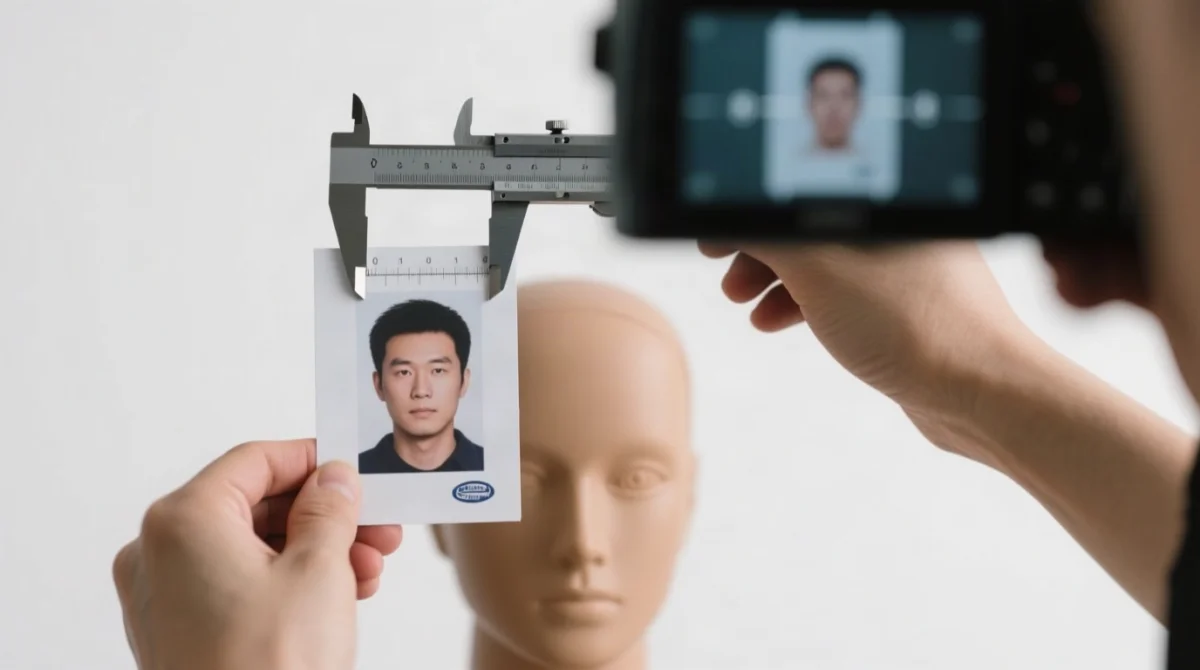
- Head size: 70-80% face coverage; chin-to-crown 31-36 mm (print) / min 413 px (digital); min 8 px top margin.
- Expression: Neutral, mouth closed, no smiling/frowning/laughing, teeth not visible.
- Eyes: Open, irises and pupils fully visible, gaze directly at camera. Exception: babies under 1 year.
- Ears: Both clearly visible; hair must not obscure face.
- Head position: Straight, squared, centred, upright.
- Glasses: Remove if possible; if worn, clear lenses only, no tint, no glare/reflections, no frames blocking eyes.
- Contact lenses: Non-coloured only.
- Headwear: Prohibited unless religious or medical (permanent daily attire); must be dark against background; full face chin to forehead visible.
- Clothing: Dark, plain, neutral colours (blue, black, grey, brown); no uniforms, camouflage, bold patterns, pure white.
- Jewellery: Minimal; large/bold pieces blocking face or distracting are disallowed.
- Makeup: Natural skin, hair, eye colour; excessive makeup may cause rejection.
- Hearing devices: Permitted if normally worn.
- Photo quality: Sharp, in focus, full colour (sRGB 24-bit), no pixelation, no red-eye, no motion blur, no glare.
- Borders: No borders or frames allowed; borders cause automatic rejection.
- Infants (under 1 year): Eyes need not be open; newborn photographed on white sheet on floor from above, or seated against backdrop; no parent, toys, or pacifiers in frame; mouth closed, neutral expression.
These Georgia eVisa appearance rules apply to all applicants regardless of age.
Common Georgia eVisa Photo Upload Errors and How to Fix Them
The most frequent Georgia eVisa upload errors include file too large, dimension mismatch, unsupported format, face too small, red eye, and blurry image. Each is fixable by resizing to 472 x 591 px, compressing to <= 300 KB, and retaking under proper lighting.
Quick Self-Check:
- Dimensions: exactly 472 x 591 pixels?
- File size: <= 300 KB?
- Format: JPEG or PNG?
- Background: plain white or light grey, no shadows?
- Face: centred, 70-80% of frame, eyes open, neutral expression, taken within 6 months?
| Error / Symptom | Likely Cause | Fix |
|---|---|---|
| File too large / Size limit exceeded | File > 300 KB | Compress JPEG to quality 85; use online compressor; resize if needed |
| File too small / Invalid file | File < 10 KB or corrupted | Re-export from original; do not screenshot or re-download at low quality |
| Unsupported format / Invalid file type | HEIC, BMP, TIFF, WebP, or GIF uploaded | Convert to JPEG; use free online converters or iOS camera settings |
| Dimensions do not match / Size mismatch | Photo not 472 x 591 px | Crop/resize using online tool or photo editor to exact 472 x 591 |
| Face not detected / No face found | Face too small, obscured, or at angle | Retake with face filling 70-80% of frame; ensure front-facing |
| Face too small | Head height < 413 px | Crop closer; chin-to-crown must be at least 413 px |
| Background not acceptable | Background too dark, patterned, or shadowed | Use plain white or very light grey backdrop; eliminate shadows |
| Photo too old / Recency error | Photo taken > 6 months ago | Retake a current photo |
| Red eye detected | Camera flash caused red-eye | Retake without flash; use natural light |
| Blurry / Out of focus | Camera shake, low resolution, or motion blur | Use tripod or timer; ensure fast shutter speed; retake in good light |
| Face not centred | Head tilted or off-centre | Position face squarely in middle of frame |
| Glasses glare detected | Reflection on lenses | Remove glasses or tilt head slightly; avoid flash |
| File corrupted / Cannot read file | Damaged file or incomplete upload | Re-export original; try different browser; clear cache |
| Overexposed / washed out | Too much flash or backlight | Use diffused natural light; avoid direct flash |
| Photo is sideways / rotated | Incorrect EXIF orientation | Rotate to correct orientation before upload; check in photo viewer |
| Sunglasses detected | Dark or tinted lenses | Remove sunglasses; clear prescription glasses only |
| Multiple faces detected | Another person visible in background | Retake with only the applicant in frame |
How to Take Your Own Georgia eVisa Photo with a Smartphone
A smartphone photo for the Georgia eVisa can be taken in five minutes using the rear camera, natural window light, a plain white backdrop, and timer at 1.5-2 m distance, then cropped to 472 x 591 px. Phone photos are accepted by the Georgia eVisa online portal; the system processes digital uploads via software, not embassy staff. The claim that home photos are rejected applies only to printed consular visa submissions.
Hang a plain white sheet or find a plain white wall as backdrop
Use a plain white sheet or locate a plain white wall to serve as your backdrop.
Face a window for even natural light
Face a window for even natural light; avoid overhead fluorescents.
Position phone 1.5-2 m away at eye level
Position phone 1.5-2 m away at eye level using a tripod or stable surface.
Disable beauty filters and AI skin smoothing
Disable beauty filters and AI skin smoothing (iOS: Settings > Camera; Android: varies by manufacturer).
Use the rear camera with a 3-10 second timer
Use the rear camera with a 3-10 second timer; take 5+ shots.
Select the sharpest frame and crop to 472 x 591 px
Select the sharpest frame and crop to 472 x 591 px.
Verify the file is JPEG, <= 300 KB, sRGB colour
Verify the file is JPEG, <= 300 KB, sRGB colour.
Upload at Step 3 of the application on evisa.gov.ge
Upload at Step 3 of the application on evisa.gov.ge.
Selfies look distorted due to wide-angle front camera; use the rear camera with timer instead. For children aged 1-5: photograph immediately after waking (calmer); parent stands behind camera with toy for eye contact; use burst mode and select sharpest frame; no parent hands, toys, or pacifiers in frame.
Georgia eVisa Digital Photo vs. Passport Photo: What’s Different?
The Georgia eVisa digital photo uses pixel dimensions (472 x 591 px, <= 300 KB JPEG/PNG) while a printed passport photo uses millimetres (35 x 45 mm at 300-600 DPI) and requires physical prints. To reuse a passport photo: scan at 300-600 DPI, crop to 472 x 591 px, verify <= 300 KB.
| Property | eVisa (Digital Upload) | Passport / Consular (Printed) |
|---|---|---|
| Dimensions | 472 x 591 px | 35 x 45 mm |
| DPI | 300 min, 600 recommended | 300-600 DPI |
| File format | JPEG or PNG | Printed photo paper (matte or glossy) |
| Background | Plain white or light grey | Plain white or light grey |
| Quantity | 1 digital file | 3 prints (consular) |
| Recency | Within 6 months | Within 6 months |
| Head size | 70-80% of frame, min 413 px | 31-36 mm chin-to-crown |
| Submission method | Online upload at evisa.gov.ge | In-person at embassy |
| Processed by | Automated validation software | Embassy staff |
For UK applicants needing a physical photo service for Georgia eVisa or consular submissions: Reload Internet, 197 Praed Street, London W2 1RH (opposite Paddington Station). Tel: 020 7262 4111. Open 7 days a week. Georgian photo package: £9.99 for 6 photographs. In-store turnaround: within 5 minutes. No appointment required. Photo review: free. Next-day postal delivery anywhere in the UK or worldwide. Digital photo resize: same day.
Georgia eVisa Photo Requirements FAQ
What size should my photo be for the Georgia eVisa?
Digital: 472 x 591 px. Print: 35 x 45 mm. Head height: 31-36 mm. Top margin: 8 px. (Source: evisa.gov.ge, accessed September 2026)
Does the Georgia eVisa accept JPEG or PNG format?
Both JPEG and PNG are accepted, with JPEG safest. Convert HEIC to JPEG before upload. File size: 10-300 KB in sRGB 24-bit colour.
Can I wear glasses in my Georgia eVisa photo?
Remove glasses if possible. If worn, clear lenses only; no tint, glare, reflections, or frames blocking eyes. Non-coloured contact lenses permitted.
What happens if my Georgia eVisa photo is rejected?
Read the error message, correct the issue, and resubmit. Common fixes: resize to 472 x 591 px, compress to <= 300 KB, or retake under proper lighting to eliminate shadows or red-eye.
How do I resize my photo to 472 x 591 pixels for free?
Use free online tools (PhotoGov, Atlys Photo Maker, MakePassportPhoto) or smartphone cropping apps. Ensure 300 DPI minimum, sRGB colour, <= 300 KB.
Can I use a selfie for my Georgia eVisa photo?
Selfies are discouraged due to wide-angle front camera distortion. Use the rear camera at 1.5-2 m distance, set a timer, disable beauty filters, crop to 472 x 591 px.
What background colour does the Georgia eVisa require?
Plain white or light grey, uniform, no patterns or shadows. Avoid fluorescent light and flash.
Do I need a different photo for the Georgia eVisa than for my passport?
The eVisa requires 1 digital file (472 x 591 px, <= 300 KB); consular visa requires 3 printed photos (35 x 45 mm). You can scan a passport photo at 300-600 DPI, crop to 472 x 591 px, and upload.
My toddler won’t sit still – will the photo be rejected?
For children aged 1-5, photograph immediately after waking (calmer), use burst mode, select sharpest frame. Parent stands behind camera with toy for eye contact. No parent hands, toys, or pacifiers in frame. Babies under 1 year need not have eyes open.
Are facial piercings or tattoos allowed in my eVisa photo?
Facial piercings and tattoos are permitted if they do not obscure facial features. Jewellery must be minimal; large or bold pieces blocking the face are disallowed.
I’ve grown a beard since my passport photo – do I need a new one?
Yes, if your facial hair significantly alters your appearance since your last photo, take a new one. The Georgia eVisa photo must reflect your current appearance, taken within the last 6 months.
What happens to my uploaded biometric data under UK GDPR?
UK applicants should review the data protection terms on evisa.gov.ge before uploading biometric photos. The Georgia eVisa portal processes uploaded photos for application processing purposes in accordance with its privacy policy.